Server-driven UI for Flutter

Is your UI trapped in your app's binary?

Set it free.

XWidget renders your screens from resources you can update after release, while services, access control, and business logic stay compiled in the app binary.

All platforms Open source xwidget on pub.dev
home_hero.xml
<Column> <Text overflow="fade" data="SPRING DROP"/> <Text softWrap="true" data="New arrivals"/> <MyButton label="Shop now"/> </Column>
SPRING DROP
New arrivals
Shop now
Featured
All
$ edit · saved → live reload (local)
preview · local reloaded
layout · copy · styling · navigationresources services · access control · business logicapp binary
// ship UI on its own cadence

Skip the App Store

Fragments, static values, and navigation live in resources, apart from the binary. Deploy your changes to the cloud, and the next time users open your app, the updates are downloaded and applied — no rebuild, no review queue, no waiting for everyone to update.

  • Change screens, copy, and styling without an app store release
  • Run UI experiments, feature rollouts, A/B tests, and more
  • Keep UI and navigation consistent across platforms, even when update cycles differ
  • Reach users with timely flows and calls to action without waiting on installs
strings.xml
<!-- change copy without touching the binary --> <resources> <string name="usage_title">Project usage</string> <string name="refresh">Refresh</string> </resources>
routes.xml
<!-- navigation lives in resources, too --> <routes> <route path="/overview" fragment="pages/overview"/> <route path="/usage" fragment="pages/usage"/> </routes>
// unlimited widget support

Use Any Widget

Use Flutter widgets, custom widgets, and third-party packages. XWidget generates inflaters for components you declare, exposing them as markup elements with constructor parameters as attributes. At runtime, attributes are converted to typed constructor arguments and widgets are instantiated directly — no waiting on framework support to use the widgets you need now.

1 · declare the classes you want
inflater_spec.dart
// the classes you want inflaters for const inflaters = [ AppBar, Center, Column, Scaffold, Text, TextStyle, // not a widget — same mechanism ThemeData, ];
2 · use them in your markup
home.xml
<Scaffold> <AppBar for="appBar"> <Text for="title" data="@string/app_title"/> </AppBar> <Center for="body"> <Text data="Hello!"> <TextStyle for="style" fontSize="32" color="#4FC8FF"/> </Text> </Center> </Scaffold>
// separation of concerns

Architecture That Scales

The markup decides what the UI looks like, the controller provides the data and behavior, and Dependencies is the shared context.

How fragments, dependencies, and controllers relate Dependencies sit between the fragment and the controller — they provide data and change notifications to the fragment, while the controller binds functions and data into dependencies and the fragment invokes them. </> Fragment view { } Dependencies models, functions, data <: Controller view logic models, functions, data, changes inherit, copy or new invoke functions bind models, functions, data
// deploy, manage, monitor

XWidget Cloud

A hosted content server for your fragments, values, and routes — versioning and analytics built in. Deploy from the CLI; manage and monitor every release from the web console. Or skip it entirely and load from local assets or your own backend.

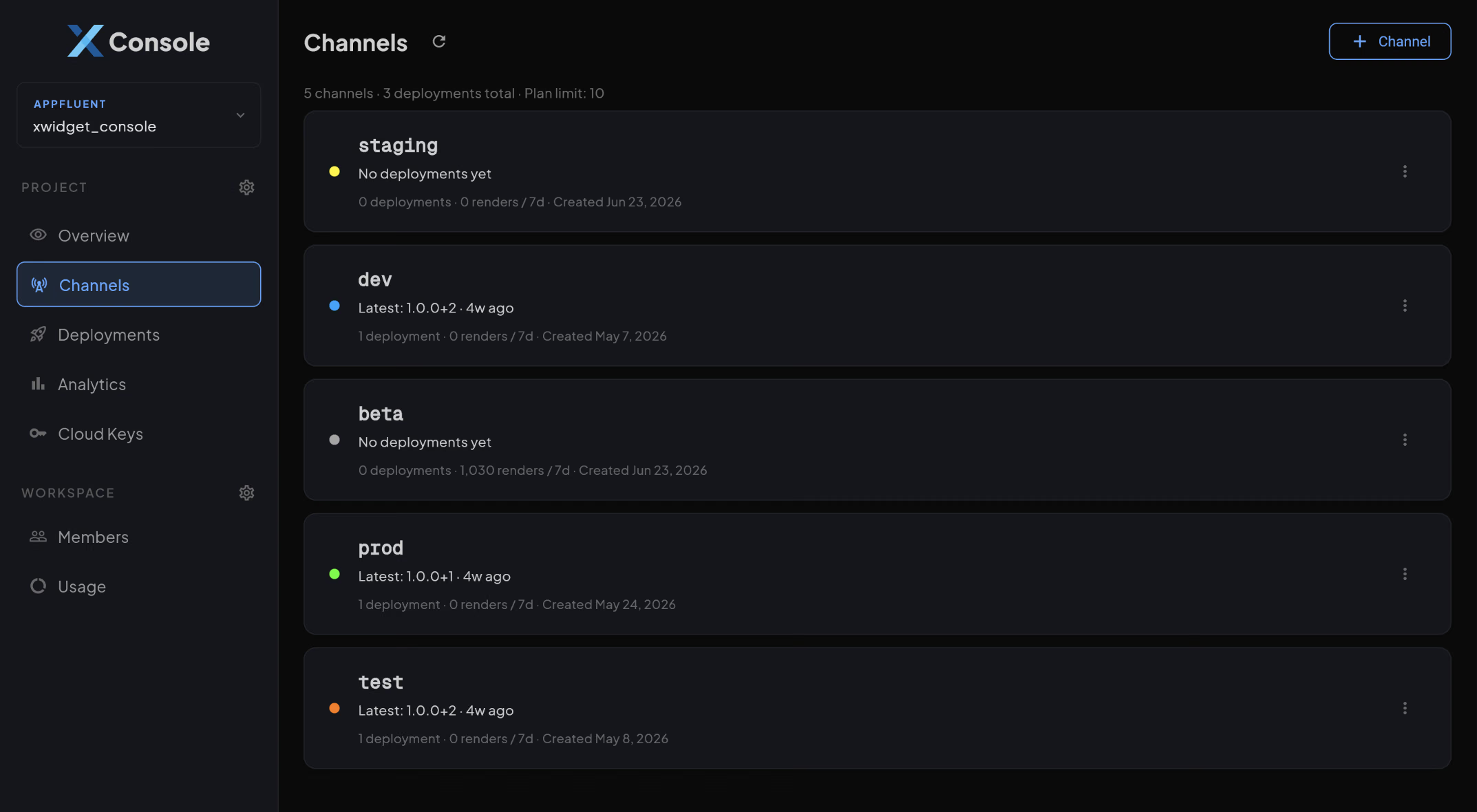
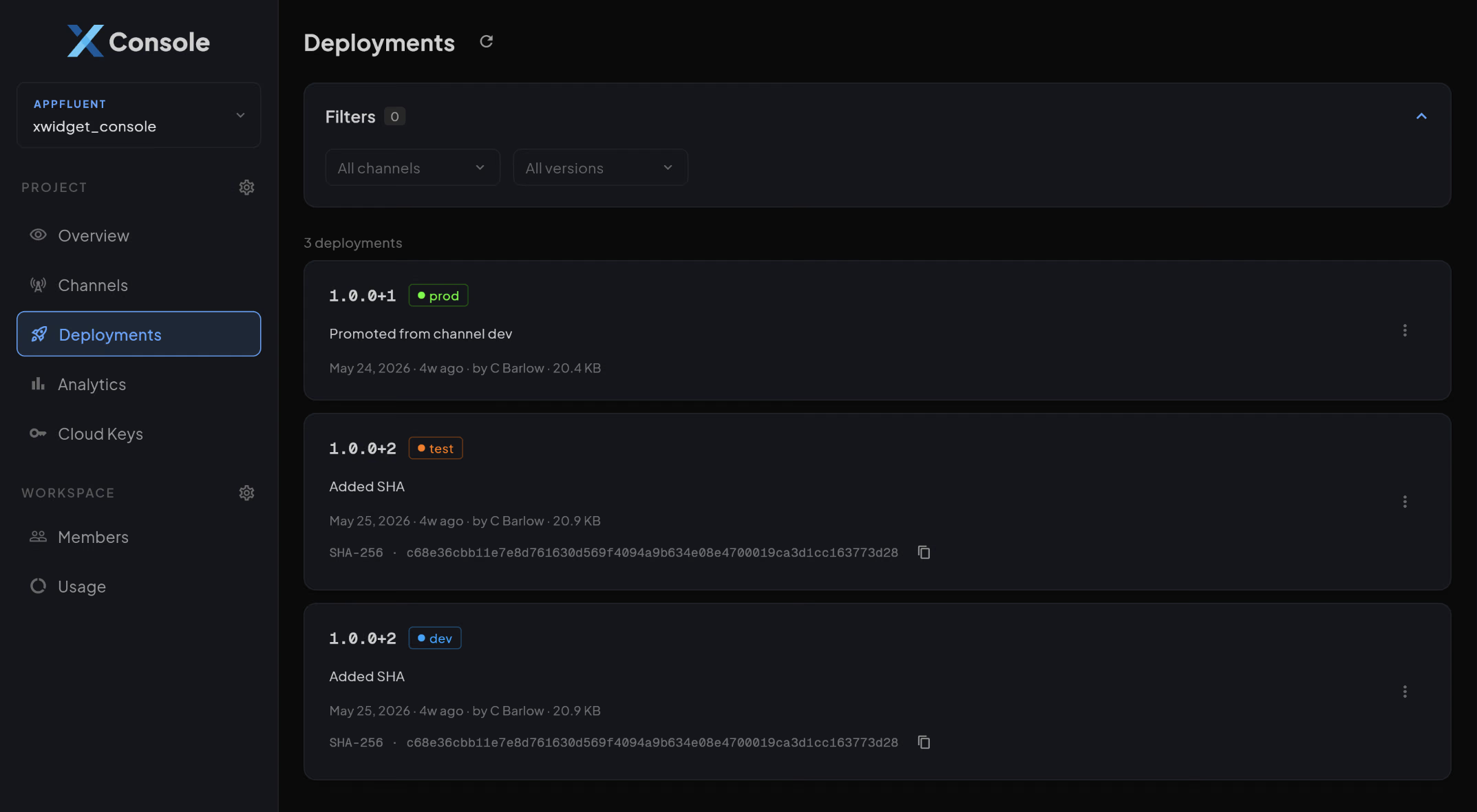
Versioned bundles & channels

Deploy with xc cloud deploy. Once deployed, publish to any channel to go live. Roll back or unpublish anytime if needed.

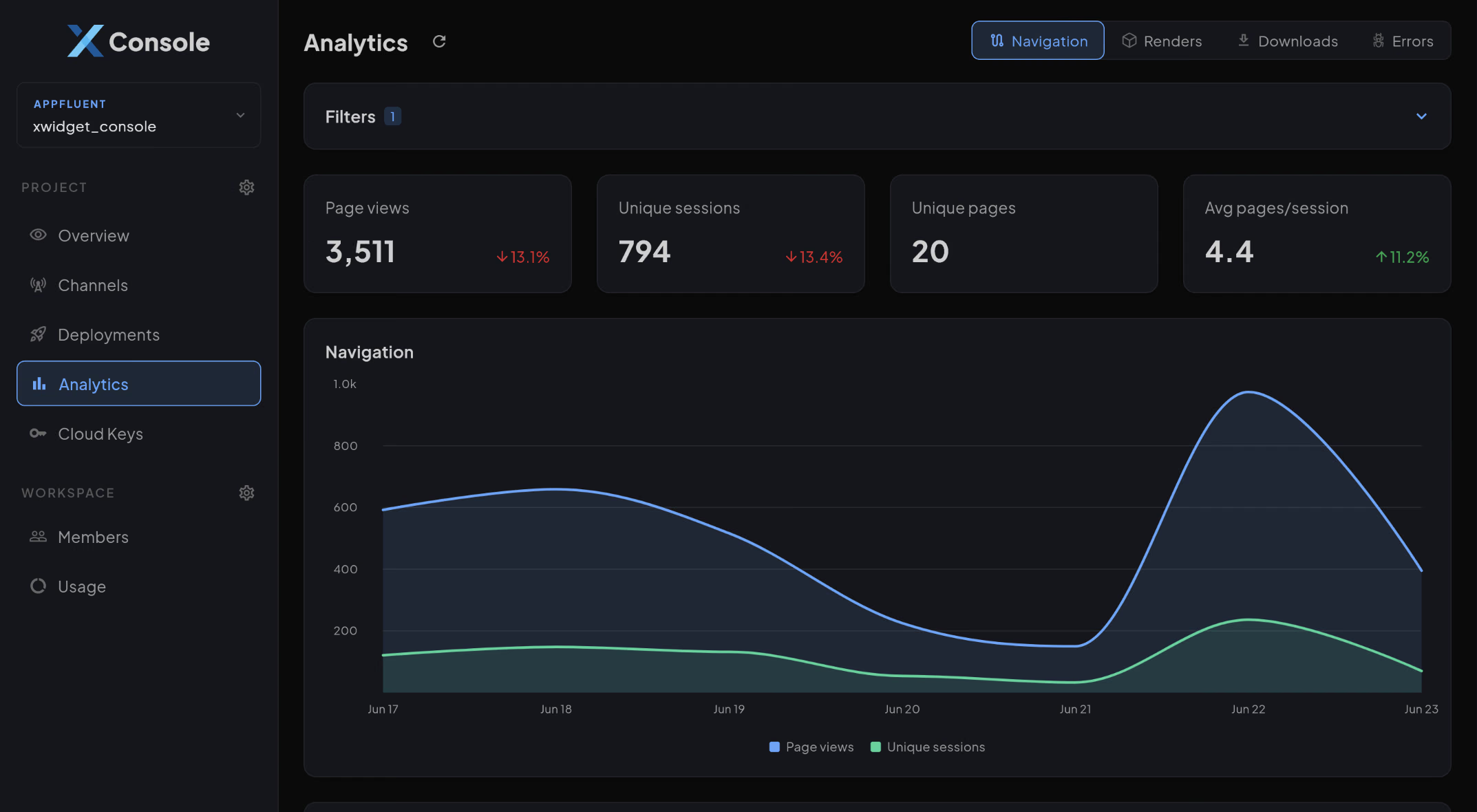
Analytics included

Renders, navigation flows, errors, and version adoption by platform and country — wired in from the SDK, no extra instrumentation.
// agent-ready

AI Integration

Connect Claude — or any MCP client — to your workspace and ask about deployments, channels, and analytics in plain English. Every answer comes from the same APIs the console uses, guarded by the same permissions: OAuth sign-in, you approve exactly what it can do, nothing to install.

One connector, your whole workspace

Add api.xwidget.dev/mcp as a custom connector and sign in. Claude can list your projects, inspect deployments and channels, and query render, error, and navigation analytics.

AI-readable docs

Every docs release ships llms.txt and raw markdown, so any AI tool grounds itself in real XWidget syntax instead of guessing. One URL: docs.xwidget.dev/llms.txt.

claude.ai
How did 1.2.0 perform this week?
used query_renders · get_analytics_overview 4,120 renders across prod with a 0.1% error rate. Adoption is at 62% of sessions, up from 41% last week.
claude.ai
How do I repeat a widget for each item in a list?
fetched docs.xwidget.dev/llms.txt · for_each.md Wrap it in a <forEach> tag — it inflates its children once per item: <forEach var="user" items="${users}">

Try it in your app today.

XWidget is open source. Add the package to your app and start building dynamic screens. Enjoy hot reload, EL syntax highlighting, and contextual menus by installing the IntelliJ plugin or VS Code extension. Deploy to XWidget Cloud when you're ready to deliver updates and monitor usage.